Skip Navigation

My Trail to Success Checklist

In this module, we will accompany a student and his counselor on the Pre-ETS journey from the intake interview to high school graduation. The student will be Ethan, an avatar from our virtual simulation lab.

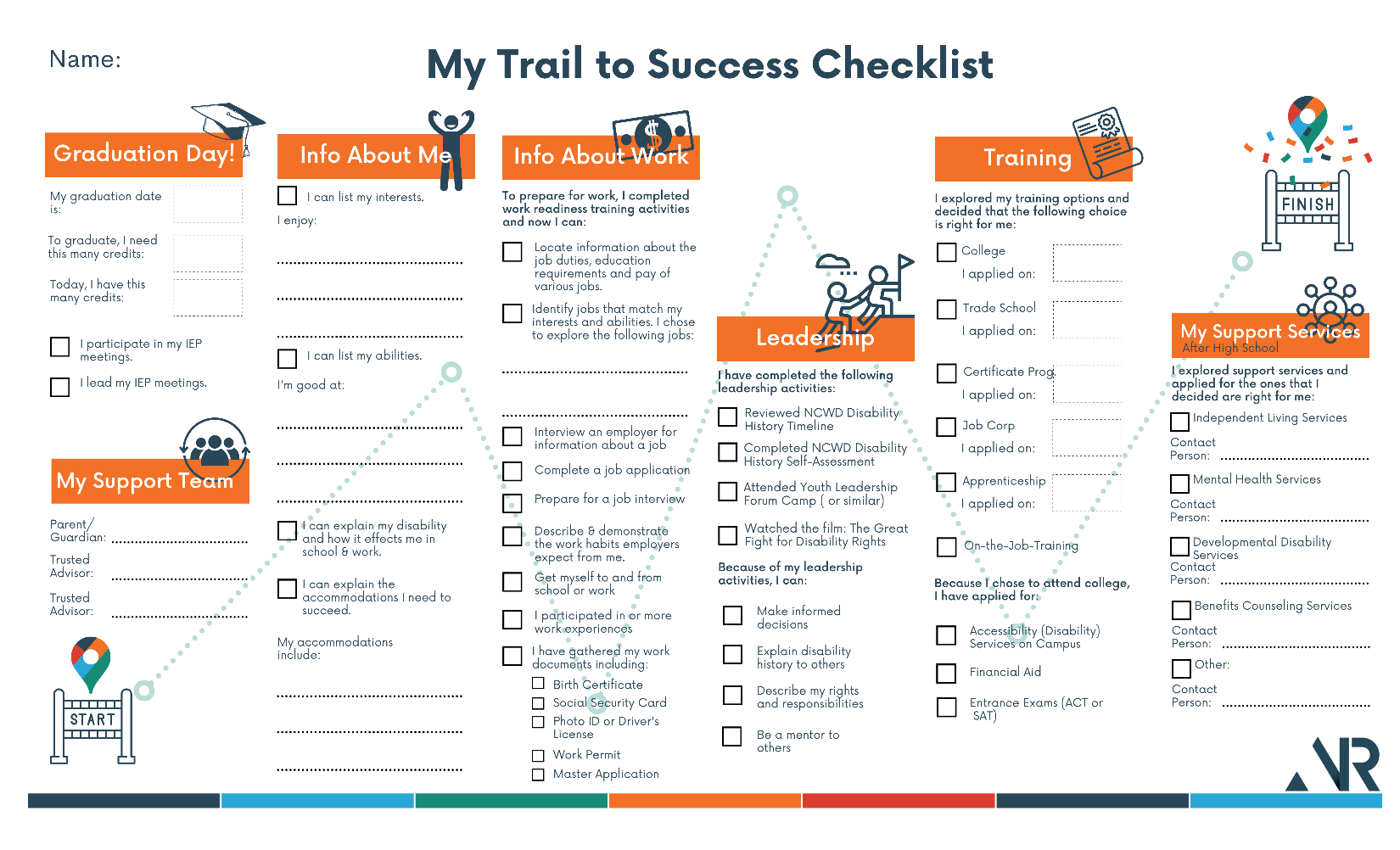
The following graphic tool, the My Trail to Success Checklist,is a conceptual framework designed to:

  • provide a big-picture perspective of the Pre-ETS journey on one page, like a map
  • highlight the competencies to be achieved in each Pre-ETS service from the youth's point of view
  • maintain a record of information gathered (input fields) and progress achieved (checkboxes)
  • ensure no crucial considerations are overlooked

You will use it to follow Ethan's progress. See the following instructions for use.

map.png

TOOL!

  • To download a PDF copy of the My Trail to Success Checklist with fillable fields and Alt-Text, click on the down arrow following this link:My Trail to Success Checklist
  • To download an accessible Word version of the document (without images), click on the down arrow following this link: My Trail to Success Checklist.docx
  • To preview the document, click the link (not the down arrow).

Instructions for Use

To get a feel for its use, you will input information gathered into the fields and check off boxes as Ethan achieves competency in the areas listed. To use the tool:

  1. Download the My Trail to Success Checklist to your computer.
  2. Add information in the fields and check competency boxes when prompted throughout this unit. Watch for this icon, map pt.png followed by the prompt.
  3. Upload the completed document at the end of the course.